
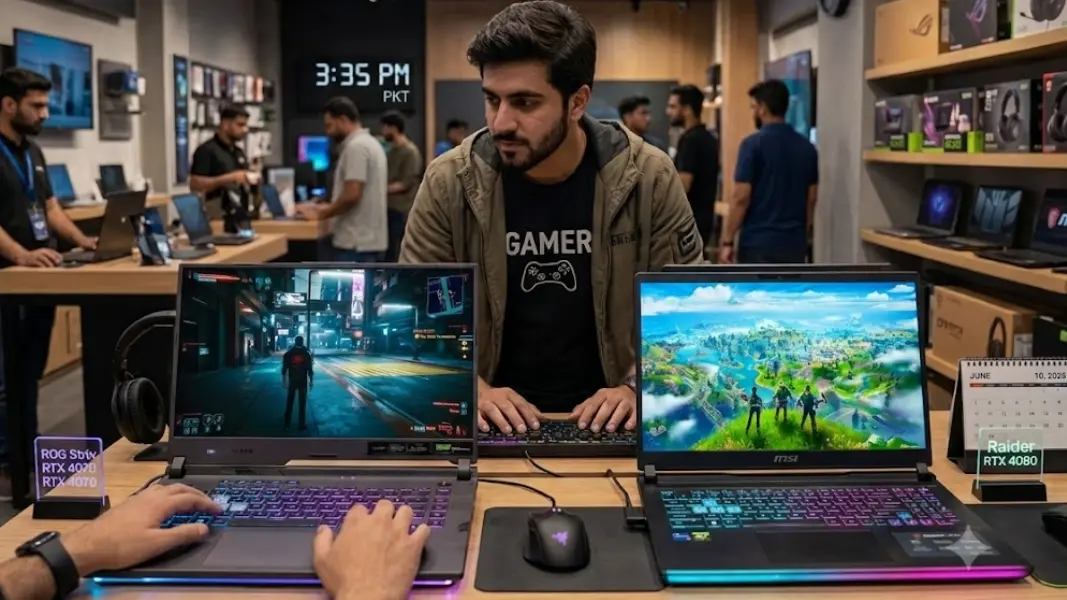
Buying a gaming laptop in 2026 is easier and harder than ever. Easier because even mid-range machines now deliver superb performance. Harder because the choices have exploded: two GPU generations, OLED and Mini-LED screens, sizes from 14 to 18 inches, and a memory shortage nudging prices up.
This guide cuts through all of it. You will learn what each component does, how to weigh each one, how to match a laptop to the way you actually play, and which trade-offs are worth making in 2026. Follow it step by step, and you will buy the right machine the first time.
It also ties the whole picture together. For specialized detail, this guide links to our focused resources, starting with the complete best gaming laptops hub.
What Should You Prioritize in a Gaming Laptop?
Prioritize the GPU and its power limit first, then cooling, then the display. A strong, full-power graphics card in a well-cooled chassis with a screen matched to your play style matters far more than a faster CPU or extra storage. Get those three right, add 16GB of RAM and a fast SSD, and the rest is fine-tuning.
Keep that order in mind as you read. It is the single most useful rule for spending your money where it counts.
Gaming Laptop Specs at a Glance
Use this as your shopping checklist. The recommended column reflects the 2026 sweet spot for most gamers.
| Component | Minimum | Recommended (2026) |
| GPU | RTX 4050 / RTX 5050 | RTX 4060 or RTX 5060 at full power |
| CPU | Intel Core i5 / Ryzen 5 | Intel Core i7 / Ryzen 7 |
| RAM | 16GB DDR5 | 16GB to 32GB DDR5, upgradeable |
| Storage | 512GB NVMe SSD | 1TB NVMe, second M.2 slot |
| Display | 1080p 144Hz IPS | 1600p 16:10 165Hz or higher, IPS or OLED |
| Cooling | Dual fan, dual heat pipe | Vapor chamber or multi heat pipe, dual or triple fan |
| Battery | 60Wh | 80Wh or larger |
| Connectivity | Wi-Fi 6, HDMI | Wi-Fi 7, Thunderbolt 4, HDMI 2.1 |
Step 1: The GPU Comes First
The graphics card decides gaming performance more than any other part, so it deserves the largest share of your budget. In 2026, the value picks are the RTX 4060 and its successor, the RTX 5060, for 1080p, stepping up to the RTX 4070, RTX 5070, and RTX 5070 Ti for 1440p, and the RTX 4080, RTX 5080, RTX 4090, and RTX 5090 for 4K.
Two details matter as much as the model name. First, Total Graphics Power (TGP) specifies how much power the laptop allows the GPU to draw. A full-power version can outperform a power-limited one by a wide margin. Second, VRAM increasingly affects longevity, so favor more memory if you plan to keep the laptop for years. Our RTX gaming laptops guide breaks down every tier in detail.
Step 2: Cooling Is the Most Underrated Spec
Here is the spec most buyers skip and later regret. Two laptops with the same GPU can perform very differently based purely on thermal design. A weak cooler causes throttling, where the chip slows down under sustained load, and your frame rates drop mid-session.
Look for vapor chambers or multiple heat pipes, dual- or triple-fan setups, and dedicated exhaust vents on the sides and rear rather than on the bottom alone. Because spec sheets never tell this story, lean on independent reviews that measure sustained load temperatures and throttling behavior before you commit. A well-cooled mid-range machine often beats a poorly cooled higher-tier one.
Step 3: The Display, Matched to How You Play
The screen turns raw frames into an experience, and 2026 offers more choice than ever. Match the panel to your games rather than chasing the highest numbers.
Size and Aspect Ratio
The 16-inch class has become the mainstream sweet spot, and the 16:10 aspect ratio is now standard. It gives you extra vertical space for games and work alike. A 2560 by 1600 panel at 240Hz has emerged as the consensus ideal for 16-inch gaming laptops. Smaller 14-inch models prioritize portability, while 17 and 18-inch machines deliver closer to desktop performance at the cost of weight.
Resolution and Refresh Rate
For competitive and esports play, a 1080p or 1440p panel at 165Hz to 240Hz is ideal, since high frame rates matter more than pixel density. For single-player and cinematic games, a 1440p or 4K screen at 120Hz delivers stunning image quality. Match the panel to your GPU. A high-refresh-rate screen requires a GPU capable of driving it.
Panel Type and Brightness
IPS remains the dependable default with good color and motion. OLED has become far more accessible in 2026, reaching the $1,200 to $1,500 range, and delivers deep blacks and vibrant contrast for immersive games. Mini-LED offers very high brightness with local dimming, useful if you game in bright rooms. Aim for at least 300 nits of brightness and full sRGB color coverage. Modern OLED and Mini-LED panels can now exceed 1,000 nits, making them usable even in bright environments.
Step 4: The CPU Plays a Supporting Role
For gaming, the processor matters less than the GPU, but it still needs to keep up. A modern Intel Core i5 or AMD Ryzen 5 with 6 or more cores handles most games well. A Core i7 or Ryzen 7 helps with CPU-heavy strategy and open-world titles.
If you stream or edit video alongside gaming, step up to an 8 to 12-core chip such as a Core Ultra 9, Core i9, or Ryzen 9, and pair it with 32GB of RAM. For pure gaming, though, do not overspend here. Put the savings toward the GPU, cooling, or display.
Step 5: RAM and Storage
In 2026, 16GB of DDR5 is the minimum for comfortable gaming. Many titles benefit from 32GB, especially if you run a browser, Discord, and streaming software at the same time. Because of the memory shortage, confirm the listing actually includes 16GB, since some cheaper configurations have been quietly reduced.
For storage, a PCIe NVMe SSD is essential. 512GB is the practical floor, but modern games are large, so 1TB is the comfortable choice. A second M.2 slot for future expansion is valuable, letting you add cheaper storage later instead of paying upfront. Upgradeable memory and storage extend a laptop’s useful life, which matters even more while component prices are high.
Step 6: Build, Ports, and Connectivity
A gaming laptop is a long-term tool, so the chassis and connections matter for daily use.
- Build quality: Some flex is normal at lower prices. Rugged lines hold up better to commuting. Premium models use aluminum for added rigidity.
- Keyboard and trackpad: Look for comfortable key travel and a responsive layout, since you will use them for years.
- Ports: Seek HDMI 2.1 for external displays, USB-C with Thunderbolt 4 or newer for fast peripherals and charging, several USB-A ports, and ideally an SD card reader if you create content.
- Wireless: Wi-Fi 7 and Bluetooth 5.4 are the current standards for low-latency online play and peripheral connections.
- Webcam: An IR webcam adds a convenient face login, a small but welcome touch.
Step 7: Battery Life and Portability
Set realistic expectations. Gaming drains any battery in 1 to 3 hours, regardless of price. Where battery matters are everyday use, such as browsing, classes, and work.
Look for an 80Wh or larger battery for 6 to 8 hours of mixed use, paired with an efficient processor. Note that the largest batteries top out at around 99.9 Wh due to airline carry-on limits. Also, weigh the machine and its charger. A powerful 18-inch laptop with a large adapter is a desk-bound system, while a slim 14 or 16-inch OLED model under 2kg can truly travel.
Match the Laptop to How You Play?
The smartest way to choose is to start from your games, then build the spec around them.
- Competitive and Esports: Prioritize a high-refresh-rate 1080p or 1440p display at 165Hz or higher, a capable midrange GPU, and a 6 to 8-core CPU that delivers very high frame rates.
- AAA and open world: Prioritize a stronger GPU with ample VRAM, such as an RTX 4070 or higher, and a sharp 1440p or 4K display to bring detailed worlds to life.
- Streaming and content creation. Prioritize an 8 to 12-core CPU, 32GB of RAM, fast storage, and a color-accurate screen for editing.
- Students and travelers. Prioritize portability, battery life, and value. A well-specced previous-generation machine is often the smart choice.
Price Tiers: What Your Budget Buys
Your budget sets your realistic expectations. Here is the broad picture for 2026.
- $700 to $1,000. Solid 1080p gaming with an RTX 4060-class GPU. Our budget gaming laptops guide covers this range, and our best gaming laptops under $1,000 roundup names tested picks.
- $1,000 to $1,800. Confident 1440p gaming, often with OLED or Mini-LED options and higher refresh rates.
- $1,800 and up. Enthusiast territory, with top-tier GPUs, 4K capability, and premium displays in desktop replacement chassis.
The 2026 Market: Buy Smart
You cannot ignore the wider market in 2026. AI-driven component shortages and tariffs have pushed prices up, and discounts are shallower than in past years. Two strategies help. First, favor laptops with upgradeable memory so you can start at 16GB and expand later rather than paying inflated factory prices. Second, consider buying one generation behind, since previous-generation hardware remains excellent and sells at the steepest discounts. Our gaming laptop deals guide explains exactly when and how to buy for the best price.
Common Mistakes to Avoid
- Ignoring GPU wattage and assuming the model name tells the whole story.
- Accepting 8GB of RAM to hit a lower price.
- Overspending on a CPU you do not need for pure gaming.
- Forgetting cooling, then suffering throttling later.
- Buying sealed designs with no upgrade path during a memory shortage.
How We Guide Your Purchase?
Our advice comes from hands-on testing, benchmark analysis, and long-term community feedback. We weigh sustained performance, thermals, display quality, and value rather than relying on headline specs alone, and we always consider price-to-performance against the competition. The aim is to help you buy the laptop that fits your needs and budget, not the one with the loudest spec sheet.
Frequently Asked Questions
What specs should I look for in a gaming laptop in 2026?
Prioritize a full power RTX 4060 or RTX 5060 GPU or better, strong cooling, and a display matched to your games, ideally a 1600p 16:10 panel at 165Hz or higher. Add 16GB of DDR5 RAM, a 1TB NVMe SSD, and modern connectivity like Wi-Fi 7 and Thunderbolt 4. Cooling and GPU power limit matter as much as the model name.
What screen size is best for a gaming laptop?
The 16-inch class is the mainstream sweet spot in 2026, balancing screen space and portability, with a 16:10 aspect ratio now standard. Choose 14 inches for maximum portability, or 17-18 inches for closer-to-desktop performance if the laptop will mostly stay on a desk.
Is OLED worth it on a gaming laptop?
OLED is worth it for single-player and cinematic gaming, offering deep blacks and vivid contrast, and it has become affordable in the $1,200 to $1,500 range in 2026. Competitive players may prefer a high refresh IPS panel for maximum frame rates, while Mini-LED suits those who game in bright rooms and want peak brightness.
How much RAM and storage do I need for gaming?
You need at least 16GB of DDR5 RAM and a 512GB NVMe SSD, though 32GB of RAM and a 1TB SSD are the comfortable recommendation in 2026. If you stream or edit, lean toward 32GB. Choosing a laptop with a free memory slot and a second M.2 bay lets you upgrade later, affordably.
Is the CPU or GPU more important for gaming?
The GPU is more important for gaming. It determines frame rates and visual quality, so it should receive the largest share of your budget. A modern Core i5 or Ryzen 5 CPU is enough for most games. Only step up to a higher-tier processor if you also stream, edit video, or play CPU-heavy strategy titles.
Final Word
Choosing a gaming laptop in 2026 comes down to spending where it counts. Lead with the GPU and its power limit, make sure the cooling can sustain that performance, and pick a display that matches how you play. Add 16GB or more of RAM, a fast SSD, and modern connectivity, and you have a machine that will serve you for years.
Match the spec to your games and budget rather than chasing the biggest numbers, and lean on upgradeable, well-priced options in this elevated market. Ready to choose? Browse tested picks in our best gaming laptops hub, shop by price with our budget gaming laptops guide, and time your purchase using our gaming laptop deals guide.