
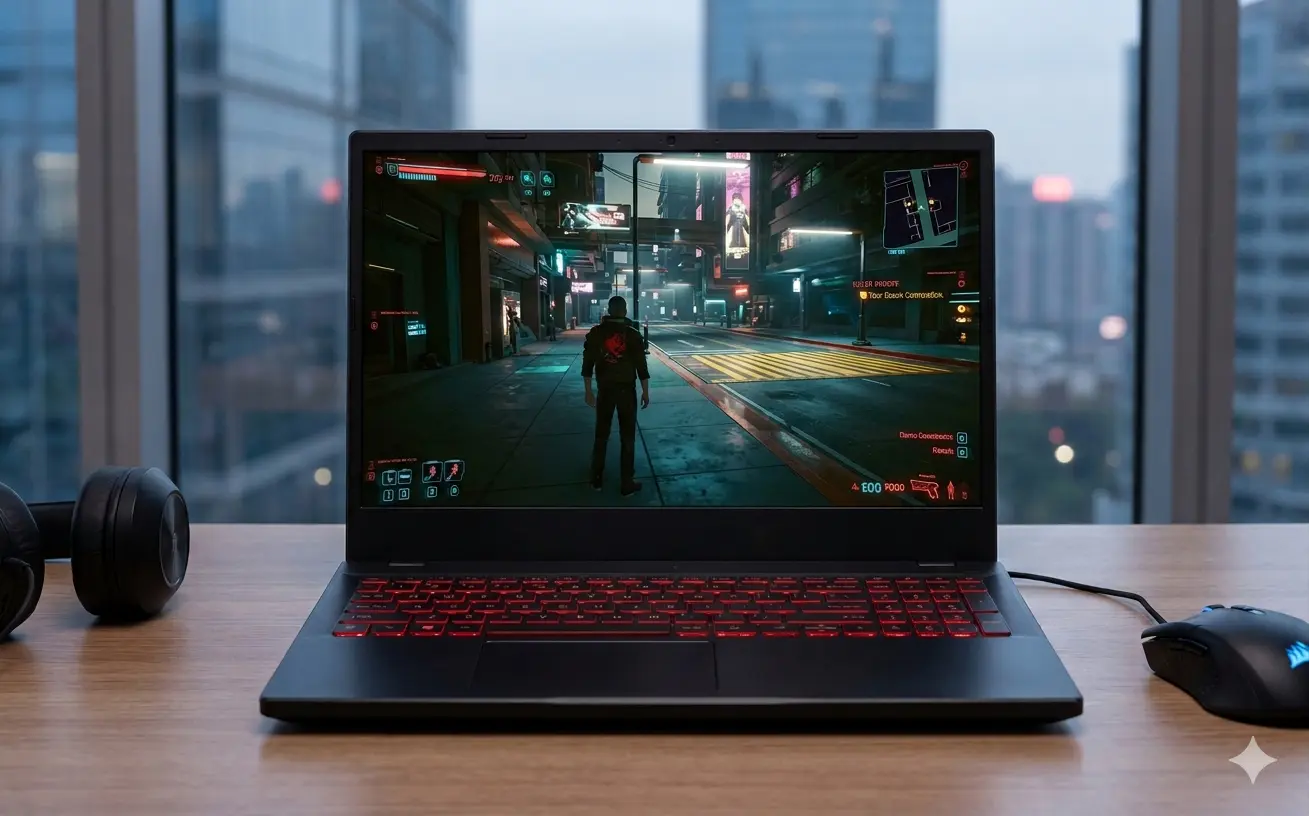
Budget gaming laptops have quietly become one of the smartest buys in PC gaming. You no longer have to choose between an affordable price and playable frame rates. In 2026, a well chosen machine under the four figure mark runs modern titles at 1080p with room to spare.
But 2026 is also a strange year to buy one. A global memory shortage is pushing prices up and quietly reshaping what you get for your money. So before you spend, it helps to understand both the hardware and the market around it.
This guide breaks down everything that matters. You will learn what a budget gaming laptop actually delivers today, which components decide real performance, how the current pricing situation affects your decision, and how to match a machine to the games you play. By the end, you will be able to shop with confidence and avoid the traps that catch first time buyers.
What Counts as a Budget Gaming Laptop in 2026?
A budget gaming laptop is a portable machine built to run modern games at 1080p without throttling, while keeping the price accessible. In 2026, that usually means an RTX 4050, RTX 4060, or entry level RTX 5060 class GPU, a 6 core or higher processor, 16GB of memory, and a fast solid state drive. Prices typically range from $700 and $1,200.
The definition has shifted over the years. Not long ago, a budget gaming laptop meant compromise: weak graphics, slow panels, and thermals throttled within minutes. That era is over. Today’s affordable machines borrow real technology from premium models, including high-refresh displays, effective cooling, and AI upscaling support.
For a wider view of every price tier, see our main resource on the best gaming laptops. This guide focuses purely on the value end of that spectrum.
Quick Reference: Budget Gaming Laptop Tiers
Use this table to anchor your expectations before you start comparing specific models. Each tier reflects realistic 2026 pricing and the gaming experience it delivers.
| Budget Tier | Typical GPU | Target Resolution | Realistic Experience |
| $700 to $850 | RTX 4050 / RTX 4060 (lower TGP) | 1080p medium to high | Smooth esports, AAA with tuned settings |
| $850 to $1,000 | RTX 4060 (full TGP) | 1080p high to ultra | Confident 1080p gaming, DLSS headroom |
| $1,000 to $1,200 | RTX 4060 / RTX 5060 | 1080p ultra, light 1440p | Best value sweet spot for most gamers |
The $850 to $1,000 band is where most buyers find the strongest balance. If you can push to the upper edge, a full power RTX 4060 with 16GB of memory will serve you well for years. For a deep dive into that exact range, read our dedicated guide to the best gaming laptops under $1,000.
The 2026 Reality: Why Budget Laptops Cost More Right Now
Here is the part most buying guides skip. A memory shortage shapes the price you see in 2026 and changes how you should shop.
Demand for AI data center hardware has shifted manufacturing capacity toward high-bandwidth memory. That leaves less supply of the standard DRAM and NAND storage used in consumer laptops. The result has been steep price increases across the industry, sometimes nicknamed RAMageddon.
DRAM contract prices rose dramatically through early 2026. Major brands, including Lenovo, Dell, HP, Acer, and ASUS, signaled laptop price increases of 15 to 20 percent, with some forecasts calling for higher increases. Market researchers at IDC expect the squeeze to stretch into 2027.
This matters to you in three concrete ways:
- Some models quietly drop to 8GB of RAM. A few manufacturers are cutting memory on entry-level configurations to maintain a price point. For gaming in 2026, that is a real problem. Always confirm the listing shows 16GB.
- Prices are volatile, so timing helps. Sales events such as seasonal clearances, student promotions, and major shopping holidays can still surface genuine deals. Patience pays off more than usual this year.
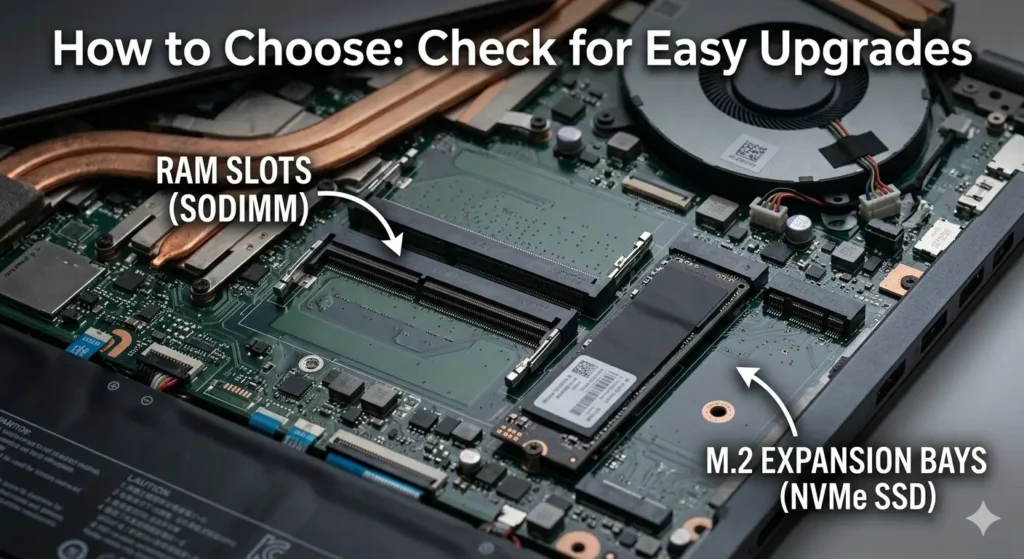
- Upgradeable memory becomes a major advantage. A laptop with accessible memory slots lets you start at 16GB and add more later, sidestepping the markup on factory configured high memory models.
There is one piece of good news. A consumer focused carve out in early 2026 trade policy aimed to shield gaming laptops, consoles, and similar devices from the worst of the AI silicon price pressure. The situation remains fluid, but it suggests the value end of the market should not vanish entirely.
The practical takeaway is simple. Buy a laptop with full specifications you can verify, favor upgradeable designs, and confirm the memory and storage before you check out.
How to Choose a Budget Gaming Laptop?
Specifications on a product page can mislead you. Two laptops with the same headline GPU can deliver very different frame rates. Here is what actually decides performance, ranked by how much it matters.
GPU: Where Your Money Should Go First
The graphics card determines gaming performance more than any other single component. In the budget range, three options dominate 2026.
- NVIDIA RTX 4060: The value champion. It handles 1080p high to ultra in nearly every modern title and supports DLSS 3 with Frame Generation for significant frame rate gains.
- NVIDIA RTX 4050: A solid step down. Capable at 1080p with tuned settings, and worth buying when heavily discounted.
- AMD Radeon RX 7600S: A competitive alternative, often priced lower. It relies on FSR rather than DLSS for upscaling.
Pay close attention to Total Graphics Power, often written as TGP. The same RTX 4060 can run at 75W in a thin chassis or up to 115W in a better cooled model. The higher wattage version performs meaningfully better. A full power RTX 4060 can outpace a power limited one by double digit percentages, so this single detail is worth researching for any model you consider. Our focused breakdown of RTX 4060 gaming laptops covers which models run the GPU at full power.
CPU: Avoid the Bottleneck
The processor handles game logic, physics, and background tasks. For budget gaming, you want at least a 6-core chip. Strong 2026 options include the Intel Core i5 HX series and the AMD Ryzen 5 and Ryzen 7 mobile processors.
A capable CPU keeps your GPU fed with data so it never sits idle. Pair a weak processor with a good graphics card, and you create a bottleneck that wastes the GPU you paid for. The good news is that most budget laptops in 2026 pair their GPUs sensibly, so this is rarely a problem if you buy a current-generation model.
RAM: Insist on 16GB
16 GB of DDR5 RAM is the baseline for comfortable gaming in 2026. Modern titles, browser tabs, and background apps all compete for memory, and 8GB now causes stutter in demanding games.
Because of the memory shortage, this is the spec most likely to be quietly reduced on cheaper listings. Confirm 16GB before buying. Even better, choose a laptop with a free memory slot so you can move to 32GB later without paying the inflated factory price.
Storage: NVMe SSD Only
Skip any gaming laptop that ships with a mechanical hard drive as primary storage. A PCIe NVMe solid-state drive loads games several times faster and keeps the system responsive.
512GB is the practical minimum, though modern games eat space quickly. A second M.2 slot for future expansion is a valuable bonus, especially since it lets you add cheaper storage later rather than paying upfront.
Display: Refresh Rate and Panel Quality
In 2026, 144Hz is the entry standard for smooth motion, and many budget models now offer 165Hz. A higher refresh rate makes fast-paced games feel noticeably crisper, which matters for shooters and competitive titles.
Stick with an IPS panel for better colors and viewing angles than older TN screens. At this price, expect 1080p resolution, which is the right match for budget GPUs anyway. Brightness around 300 nits is worth seeking if you game near windows or in bright rooms.
Cooling: The Spec Nobody Reads
Cooling decides whether your laptop maintains performance or throttles after twenty minutes. A machine that runs fast in short bursts but slows under sustained load is not a good gaming laptop.
Look for dual fan designs with multiple heat pipes. Side and rear venting beats bottom-only exhaust. Reviews and community feedback are the best way to gauge real-world thermal behavior, since spec sheets never tell the whole story.
Build Quality and Battery
Most budget laptops use a plastic chassis with some flex. That is acceptable at this price, though some lines, such as rugged TUF-style models, hold up better to daily commuting.
Set realistic battery expectations. Gaming drains a battery in one to two hours regardless of price. Light tasks such as browsing and note-taking can stretch to four to six hours on the more efficient chips. If unplugged endurance matters, prioritize a larger battery and an efficient processor.
Recommended Minimum Specs for 2026
Use this as a checklist when evaluating any budget gaming laptop. Anything below these numbers will struggle with the current AAA titles.
| Component | Minimum (2026) | Recommended (2026) |
| GPU | RTX 4050 | RTX 4060 (full TGP) |
| CPU | Intel Core i5 HX or Ryzen 5 | Intel Core i7 HX or Ryzen 7 |
| RAM | 16GB DDR5 | 16GB DDR5 with a free slot |
| Storage | 512GB NVMe SSD | 1TB NVMe or a second M.2 slot |
| Display | 1080p at 144Hz IPS | 1080p at 165Hz IPS, 300 nits |
| Cooling | Dual fan, dual heat pipe | Dual fan, multiple heat pipes, side vents |
Budget Laptop Series Worth Knowing
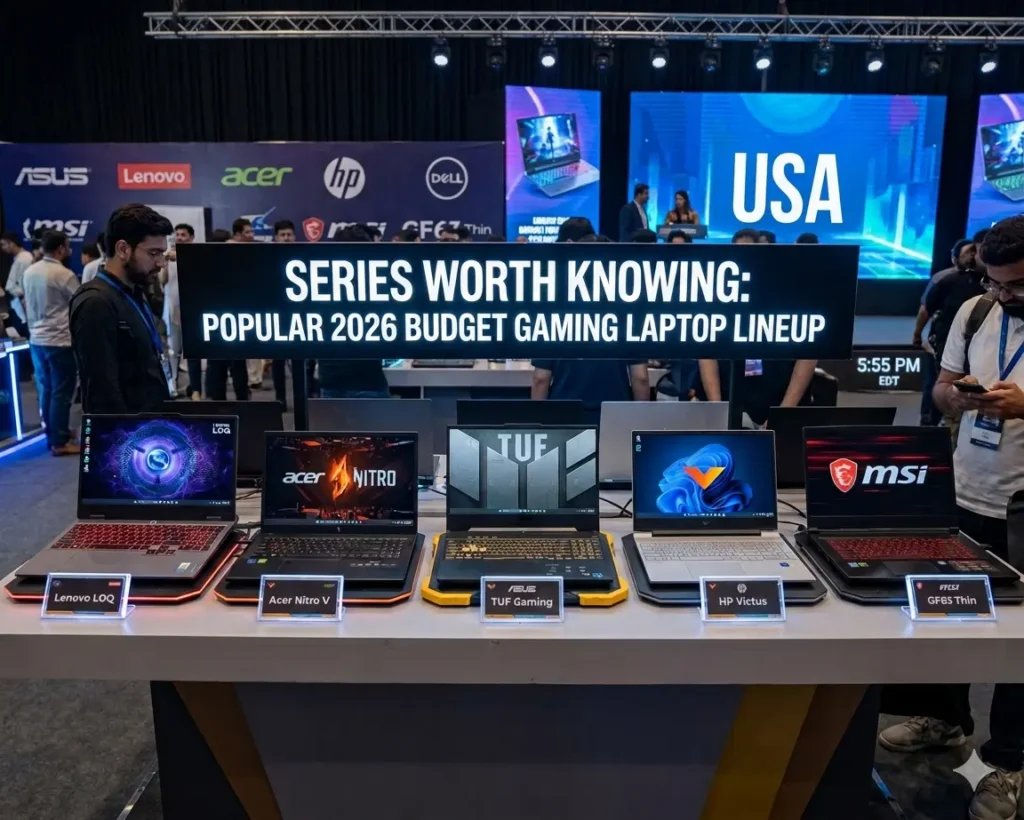
You do not need to memorize every model, but a handful of product lines consistently lead the value category in 2026. Knowing them narrows your search quickly.
- Lenovo LOQ: Frequently the strongest overall value, with a full power RTX 4060 and dependable cooling.
- Acer Nitro V: A student favorite, often the cheapest route to an RTX 4060 with a high refresh display.
- HP Victus: Known for the best battery life in the budget RTX 4060 class.
- ASUS TUF Gaming: The durability pick, with tested chassis rigidity for daily travel.
- Dell G15: Strong display brightness and consistent CPU performance.
- MSI Katana: Runs its GPU at full power and stays relatively portable.
Each of these lines anchors a more detailed review on GeekZilla as the cluster grows. Once you have narrowed your budget, the tier-specific guides go into greater detail on exact configurations and current pricing.
Common Mistakes Budget Buyers Make
Avoiding these errors will save you money and regret.
- Ignoring GPU wattage. A low-TGP RTX 4060 looks identical on paper, but performs worse. Always check the wattage.
- Accepting 8GB of RAM. Tempting on price, painful in games. Hold out for 16GB.
- Overpaying for a CPU you do not need. For pure gaming, a Core i5 or Ryzen 5 is plenty. Spend the savings on the GPU.
- Forgetting cooling. A throttling laptop wastes its own hardware. Read thermal reviews before buying.
- Buying soldered, sealed designs. Upgradeable RAM and storage extend a laptop’s useful life, which matters even more during the memory shortage.
How do we evaluate budget gaming laptops?
Our recommendations come from a mix of hands-on testing, benchmark analysis, and long-term community feedback. We run machines through sustained gaming sessions across a range of titles while watching temperatures, throttling behavior, fan noise, and frame rate stability.
We also weigh real-world ownership reports from the GeekZilla community, since issues like coil whine, hinge wear, or driver problems often surface only after months of use. Specs start the conversation, but lived experience finishes it. That is the standard we hold every pick to.
Frequently Asked Questions
Are budget gaming laptops worth it in 2026?
Yes, for most gamers. A current budget gaming laptop with an RTX 4060 runs modern titles smoothly at 1080p, and DLSS pushes frame rates even higher in supported games. The value is strong, though the memory shortage means you should shop carefully and confirm full specifications before buying.
What is the best GPU for a budget gaming laptop under $1,000?
The NVIDIA RTX 4060 is the best value GPU under $1,000 in 2026. It handles 1080p high to ultra settings in nearly every game and supports DLSS 3 with Frame Generation. Just confirm the laptop runs it at full Total Graphics Power rather than a reduced wattage.
Is 16GB of RAM enough for gaming in 2026?
Yes, 16GB of DDR5 is the comfortable standard for 1080p gaming in 2026. Avoid 8GB configurations, which now cause stutter in demanding titles. If possible, choose a laptop with a free memory slot so you can upgrade to 32GB later.
How long will a budget gaming laptop last?
A well-chosen budget gaming laptop should deliver solid 1080p performance for three to five years. Upscaling technologies like DLSS and FSR continue to extend the life of older hardware. Keeping the vents clean and upgrading RAM or storage over time further extends that lifespan.
Should I buy a gaming laptop now or wait for prices to drop?
Because of the 2026 memory shortage, prices are more likely to stay high or rise than to fall sharply in the near term. If you need a laptop now, buy a model with verified full specs during a sale event. If you can wait, watch major shopping holidays for the best windows.
Can I upgrade a budget gaming laptop later?
Often yes. Many budget laptops allow RAM and storage upgrades through accessible memory slots and a spare M.2 bay. The GPU and CPU are soldered and cannot be changed, so choose them carefully at purchase. Upgradeable memory is especially valuable during the current shortage.
Final Thoughts
Budget gaming laptops in 2026 deliver more real performance than ever, even as the wider market deals with a memory crunch. The formula for a smart buy has not changed: prioritize a full-power GPU, insist on 16GB of RAM, demand an NVMe drive, and pay attention to cooling.
Get those four right, and you will own a machine that handles modern games at 1080p for years. Shop during sales, confirm every spec, and favor upgradeable designs to stay ahead of rising memory prices. When you are ready to compare specific machines, explore our best gaming laptops under $1,000 guide for tested picks, or return to the complete best gaming laptops hub to see how budget options stack up against every tier.