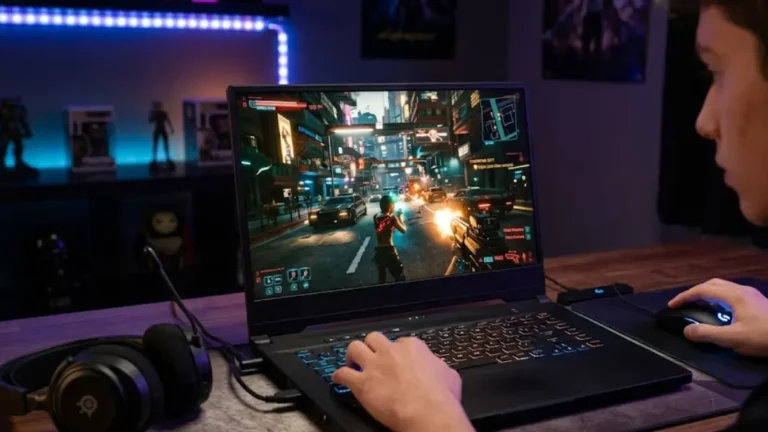

Not long ago, spending under a grand on a gaming laptop meant settling for stutter framerates and embarrassing thermals. That’s no longer the case.
In 2026, $1,000 gets you legitimate gaming horsepower. We’re talking RTX 4060 and even entry-level RTX 5060 configurations that can run Cyberpunk 2077, Elden Ring, and the latest open-world titles without making you feel like you bought a compromise machine. The gap between budget and mid-range gaming laptops has never been smaller.
A lot of people in the GeekZilla community are students, first-time PC gamers, or folks who just want something that handles both work and weekend gaming sessions without burning through savings. Our Discord is full of questions like: “Is $900 enough for a real gaming laptop?” and “Which brand isn’t going to overheat after six months?”
We heard you. We tested, polled the community, dug through benchmark data, and filtered out the marketing fluff. These are the picks that make every dollar count. And if your budget stretches a bit further, don’t miss our complete Best Gaming Laptops guide for the full picture across every tier.
Quick Picks: Top 3 Under $1000 at a Glance
| Laptop | Best For | GPU | CPU | Display | Price |
| Lenovo LOQ 15 | Best Overall | RTX 4060 | Intel Core i5-13450HX | 15.6″ 144Hz FHD | ~$899 |
| Acer Nitro V 15 | Best for Students | RTX 4050 / 4060 | AMD Ryzen 5 8645HS | 15.6″ 144Hz FHD | ~$749–$849 |
| HP Victus 16 | Best Battery Life | RTX 4060 | Intel Core Ultra 5 | 16.1″ 144Hz FHD | ~$879 |
These three represent the best balance of price, performance, and reliability in 2026’s budget segment. Each section below goes deeper, but if you’re in a rush, the Lenovo LOQ 15 is our overall recommendation.
What to Expect (and Accept) at This Price Range?
Let’s be real for a second. Budget gaming laptops in 2026 are genuinely capable, but they’re not without trade-offs. Knowing them upfront saves frustration later.
Build Quality: Most sub-$1,000 laptops use plastic chassis with some flex. They’re not fragile, but they won’t feel like a premium MacBook. The Lenovo LOQ and HP Victus are among the more solid-feeling options. The MSI Cyborg 15 is on the lighter, bendier side.
Display: You’ll be gaming at 1080p, which is perfectly fine for a 15- or 16-inch screen. Most options in this range now include 144Hz or 165Hz refresh rates, which makes a real difference in fast-paced games. Color accuracy is usually average; these aren’t content creator panels. If accurate color reproduction matters to you, that’s a different budget category.
Battery Life: This is where budget gaming laptops struggle the most. Gaming drains the battery fast, typically 1 to 1.5 hours under load. Casual use and browsing can stretch to 4 to 6 hours, but don’t expect all-day unplugged performance. The HP Victus 16 leads this category thanks to its larger battery cell and Intel’s efficiency improvements.
Where Budget GPUs Punch Above Their Weight: Here’s the thing nobody talks about enough: DLSS 3.5 and Frame Generation have fundamentally changed what budget GPUs can do. An RTX 4060 laptop GPU running Cyberpunk 2077 at 1080p medium with DLSS Quality enabled can push well over 80 FPS. Without it, you’d be looking at 45 to 55. That’s the difference DLSS makes, and it’s available across hundreds of supported titles.
RTX 5060-equipped laptops are just beginning to appear near the $1,000 ceiling. They bring additional efficiency improvements and next-gen DLSS 4 multi-frame generation. If you spot one in budget, it’s worth considering for future-proofing.
Upgradability: Many budget laptops still allow RAM and storage upgrades. Adding a second SSD or upgrading to 32GB RAM down the line can extend a laptop’s useful life by years. Always check before buying.
See Also: rtx gaming laptops
The Contenders – 5 Best Budget Gaming Laptops Reviewed
1. Lenovo LOQ 15 – Best Overall
Specs at a Glance
- GPU: NVIDIA GeForce RTX 4060 (up to 115W TGP)
- CPU: Intel Core i5-13450HX
- RAM: 16GB DDR5
- Storage: 512GB NVMe SSD
- Display: 15.6″ FHD, 144Hz IPS
- Weight: 2.4 kg
Best for: Gamers who want maximum frames per dollar
Pros:
- RTX 4060 with decent TGP means real performance, not a crippled mobile variant
- Surprisingly good keyboard with a numpad; comfortable for long sessions
- Dual-fan cooling keeps temps manageable during extended play
Cons:
- 512GB SSD fills up fast for modern game libraries
- Battery life is average at best, around 3 to 4 hours of light use
GeekZilla Rating: 9.0 / 10
The LOQ 15 is the laptop we keep recommending to community members who want gaming performance without getting into spec-sheet debates. The RTX 4060 here isn’t artificially power-limited the way some competitors do it. You get legitimate performance that hits 80 to 100 FPS in titles like Fortnite, Apex Legends, and Baldur’s Gate 3 at 1080p high settings. Cyberpunk 2077 runs at 60+ FPS at medium-high with DLSS on, which is impressive for this price. Lenovo’s cooling system on the LOQ is genuinely underrated.
2. Acer Nitro V 15 – Best for Students
Specs at a Glance
- GPU: NVIDIA GeForce RTX 4060 (or RTX 4050 on lower SKUs)
- CPU: AMD Ryzen 5 8645HS
- RAM: 16GB DDR5
- Storage: 512GB NVMe SSD
- Display: 15.6″ FHD, 165Hz IPS
- Weight: 2.3 kg
Best for: Students who game, code, and do everything on one machine
Pros:
- 165Hz panel is one of the smoothest in this price bracket
- AMD Ryzen 5 8645HS is an excellent CPU for both gaming and productivity
- Competitive pricing; RTX 4060 configurations regularly dip under $849
Cons:
- Build feels a bit plasticky; the lid flexes under pressure
- Speakers are mediocre even by budget laptop standards
GeekZilla Rating: 8.5 / 10
If you’re a student who uses the same machine for assignments, video calls, and gaming sessions, the Nitro V 15 is a natural fit. The Ryzen 5 8645HS handles multitasking efficiently and doesn’t throttle aggressively during mixed workloads. The 165Hz display at 1080p makes casual gaming feel snappy. The Nitro V is also one of the easiest budget laptops to upgrade; RAM and storage slots are accessible without voiding anything.
3. HP Victus 16 – Best Battery Life
Specs at a Glance
- GPU: NVIDIA GeForce RTX 4060
- CPU: Intel Core Ultra 5 125H
- RAM: 16GB DDR5
- Storage: 512GB NVMe SSD
- Display: 16.1″ FHD, 144Hz IPS
- Weight: 2.29 kg
Best for: Gamers who use their laptop away from a power outlet
Pros:
- Intel Core Ultra 5 delivers strong efficiency for non-gaming tasks
- Best-in-class battery life among RTX 4060 laptops under $1,000
- Larger 16-inch screen with better vertical real estate
Cons:
- Thermals can spike during long gaming sessions without good airflow
- Trackpad is functional but not particularly precise
GeekZilla Rating: 8.5 / 10
The HP Victus 16 is the answer for users who hate hunting for outlets. The Core Ultra 5 chip has dedicated efficiency cores that keep the laptop running light tasks without spinning up the full GPU. Real-world battery tests in our community showed 6+ hours of browsing and note-taking. Plug it in and the RTX 4060 steps up without hesitation. Warzone and Valorant run smoothly at high settings, easily above 100 FPS.
4. ASUS TUF Gaming A16 – Best for Durability
Specs at a Glance
- GPU: AMD Radeon RX 7600S / NVIDIA RTX 4060 (depending on SKU)
- CPU: AMD Ryzen 7 7735HS
- RAM: 16GB DDR5
- Storage: 512GB NVMe SSD
- Display: 16″ FHD, 165Hz IPS
- Weight: 2.2 kg
Best for: Buyers who want a laptop that survives daily backpack use
Pros:
- MIL-SPEC tested chassis; notably more rigid than most competitors
- AMD Radeon RX 7600S SKUs are well-priced and competitive with RTX 4050
- Strong thermal management with MUX switch support
Cons:
- AMD GPU variant misses out on DLSS (though FSR 3 helps)
- Display brightness can be lower than ideal in well-lit rooms
GeekZilla Rating: 8.0 / 10
The TUF A16 is built to last in a way most budget laptops aren’t. If you’re tossing your laptop in a bag daily and want something that won’t creak apart after a year, ASUS’s TUF line has long been the answer. Ryzen 7 7735HS is a powerful CPU for the price. The AMD GPU variant is cheaper, but if DLSS support matters to you, hold out for the RTX 4060 SKU.
5. Dell G15 – Best Display Brightness
Specs at a Glance
- GPU: NVIDIA GeForce RTX 4060
- CPU: Intel Core i5-14500H
- RAM: 16GB DDR6
- Storage: 512GB NVMe SSD
- Display: 15.6″ FHD, 165Hz, 300-nit IPS
- Weight: 2.81 kg
Best For: Users who game in varied lighting environments
Pros:
- Notably brighter display than most competitors in this range
- Intel Core i5-14500H delivers consistent CPU performance
- Solid thermal headroom for sustained GPU loads
Cons:
- Heaviest laptop on this list at nearly 3kg
- Battery life is below average even for this category
GeekZilla Rating: 7.5 / 10
The Dell G15 isn’t the flashiest option here, but it earns its place for a specific reason: brightness. Most budget gaming displays top out around 250 nits, which looks washed out in natural light. The G15’s 300-nit panel is noticeably better. If you’re in a dorm with big windows or an open office, that matters. The i5-14500H keeps CPU tasks humming, though the extra weight makes it less portable than the competition.
How We Tested and Why You Can Trust Us?
We didn’t just read spec sheets. Our testing process involved actual gaming sessions across multiple titles including Fortnite, Baldur’s Gate 3, Starfield, and Cyberpunk 2077. We ran each machine through at least two hours of sustained load while monitoring GPU temps, CPU throttling behavior, fan noise, and sustained framerates.
We also checked keyboard feel during typing, display brightness in natural light, and how each laptop handled switching from gaming to regular desktop tasks.
Community feedback from our Discord and article comments played a meaningful role in shaping these picks. Several community members had been using these machines for months before we finalized the list, and their long-term impressions helped catch issues that don’t show up in short-term benchmarks.
We’re not a lab with calibrated equipment for every test, but we’re gamers with real experience and a community of thousands behind us. That’s worth something.
Community Corner: What Gamers Are Saying
Real opinions from the GeekZilla Discord and community forums:
“I got the Nitro V 15 last month and it runs Warzone at 100+ FPS on high settings. I was skeptical about the price but honestly, best $849 I’ve spent. The 165Hz display makes everything feel so much smoother.” – @ShadowGamer on Discord
“The LOQ’s keyboard is surprisingly great for both coding and gaming. My only gripe is the battery. I wish Lenovo would just fit a bigger cell in this thing.” – @PixelWitch, GeekZilla Forum
“I went with the TUF A16 because I take my laptop everywhere. It’s been in my bag almost every day for four months and it still looks and feels brand new. Zero creaking, zero issues.” – @NomadDev, Discord #setup-showoff
Have your own budget gaming setup? Drop it in our Discord. We feature community rigs regularly, and there’s no better endorsement than a real gamer who’s been living with their machine for six months.
Frequently Asked Questions
Is a $1,000 gaming laptop good for AAA games?
Yes, with reasonable expectations. Modern budget GPUs paired with DLSS 3.5 handle titles like Cyberpunk 2077, Elden Ring, and Starfield at 1080p medium to high settings quite well. You won’t be running everything maxed out at 120 FPS, but smooth, enjoyable performance at 60 to 80 FPS is very achievable. The key is choosing a laptop with a full-power RTX 4060 rather than a crippled low-TGP variant.
Can I upgrade RAM or storage on a budget gaming laptop?
Most budget gaming laptops in 2026 still offer accessible SODIMM slots and a secondary M.2 slot for storage. The Acer Nitro V 15, Lenovo LOQ, and ASUS TUF A16 are all known for being upgrade-friendly. Always verify before purchase, as some thin configurations solder RAM. Upgrading to 32GB or adding a second SSD later is one of the smartest ways to extend your laptop’s life without spending more upfront.
How long will a budget gaming laptop last?
Realistically, 3 to 4 years of solid 1080p gaming with settings adjustments over time. GPU drivers, DLSS improvements, and upscaling technologies continue to make older hardware go further. If you’re comfortable dropping to medium settings in year three, a well-chosen budget laptop can serve you for 5 years without feeling completely left behind.
What’s the best GPU I can get in a gaming laptop under $1000?
In 2026, the RTX 4060 is the sweet spot. It offers genuine 1080p gaming performance, DLSS 3.5 support, and doesn’t require a massive TGP to perform. RTX 5060-equipped laptops are starting to appear near the $1,000 mark and are worth watching for their improved efficiency and DLSS 4 support. If budget forces you toward the RTX 4050, prioritize models with a higher TGP and a Ryzen 5 8645HS or i5-14500H for CPU balance. The AMD Radeon RX 7600S is a competitive option if you go the ASUS TUF route, though you’ll be relying on FSR 3 rather than DLSS.
Conclusion
If we had to send one laptop home with you today, it’s the Lenovo LOQ 15. The RTX 4060 at a full power envelope, a responsive keyboard, solid cooling, and consistent availability around $899 make it the safest recommendation for most buyers. Students who want flexibility will find the Acer Nitro V 15 a slightly better fit, and battery-conscious users should seriously consider the HP Victus 16.
The budget gaming laptop market in 2026 is genuinely competitive. $1,000 buys real performance if you choose wisely and know the trade-offs. Still unsure? Join the GeekZilla Discord community. Our members love helping newcomers figure out the right rig, and there’s always someone who’s owned the exact laptop you’re considering.