A gaming laptop review is only as useful as the testing behind it. Anyone can copy a spec sheet. The hard part is telling you how a machine behaves after an hour of real gameplay, whether it throttles under load, how loud the fans get, and if the display does its GPU justice.
This is the GeekZilla reviews hub. It explains exactly how we test gaming laptops, what every metric in our reviews means, and how to read any review like an expert. Once you understand the process, you can separate machines that truly perform from those that only look good on paper.
For the full picture of which laptops we recommend across every budget, start with our best gaming laptops hub. This page is about the testing required to earn a spot on that list.
What We Test: The Six Pillars of a Gaming Laptop Review?
Every laptop we review is scored as a complete system, not just a GPU with a keyboard attached. We weigh six core areas, because a fast graphics card means little if the chassis overheats or the screen is dull.
| Test Area | What It Measures | Why It Matters |
| Gaming Performance | Frame rates across AAA, Esports, and ray tracing titles | The core reason you buy a gaming laptop |
| Thermals | Temperatures and throttling under sustained load | Decides whether speed holds up over time |
| Display Quality | Brightness, color, refresh rate, panel type | Turns raw frames into a great experience |
| Battery Life | Endurance in gaming and everyday use | Determines real portability |
| Build and Usability | Chassis rigidity, keyboard, trackpad, ports | Affects daily ownership for years |
| Value | Performance and features per dollar | Whether the price is justified in 2026 |
These six pillars feed our final score. A laptop that wins on raw frame rates but fails on thermals or display will not top our rankings, because real gamers feel those weaknesses every session.
How We Test Gaming Performance?
Frame rate is the headline number, so we measure it carefully and honestly.
We run each laptop on the latest public BIOS, graphics driver, and Windows build available at the time of testing. We then benchmark in two states: the default out of box performance profile, and the highest fan or turbo mode. This shows both the experience most buyers will actually get and the maximum the machine can reach.
Our game suite mixes three workload types:
- Demanding AAA titles to stress GPU power limits and VRAM, such as open world and cinematic games.
- Competitive esports games to measure high refresh frame rates where smoothness matters most.
- Ray tracing and path tracing scenes to test the GPU’s heaviest modern workload.
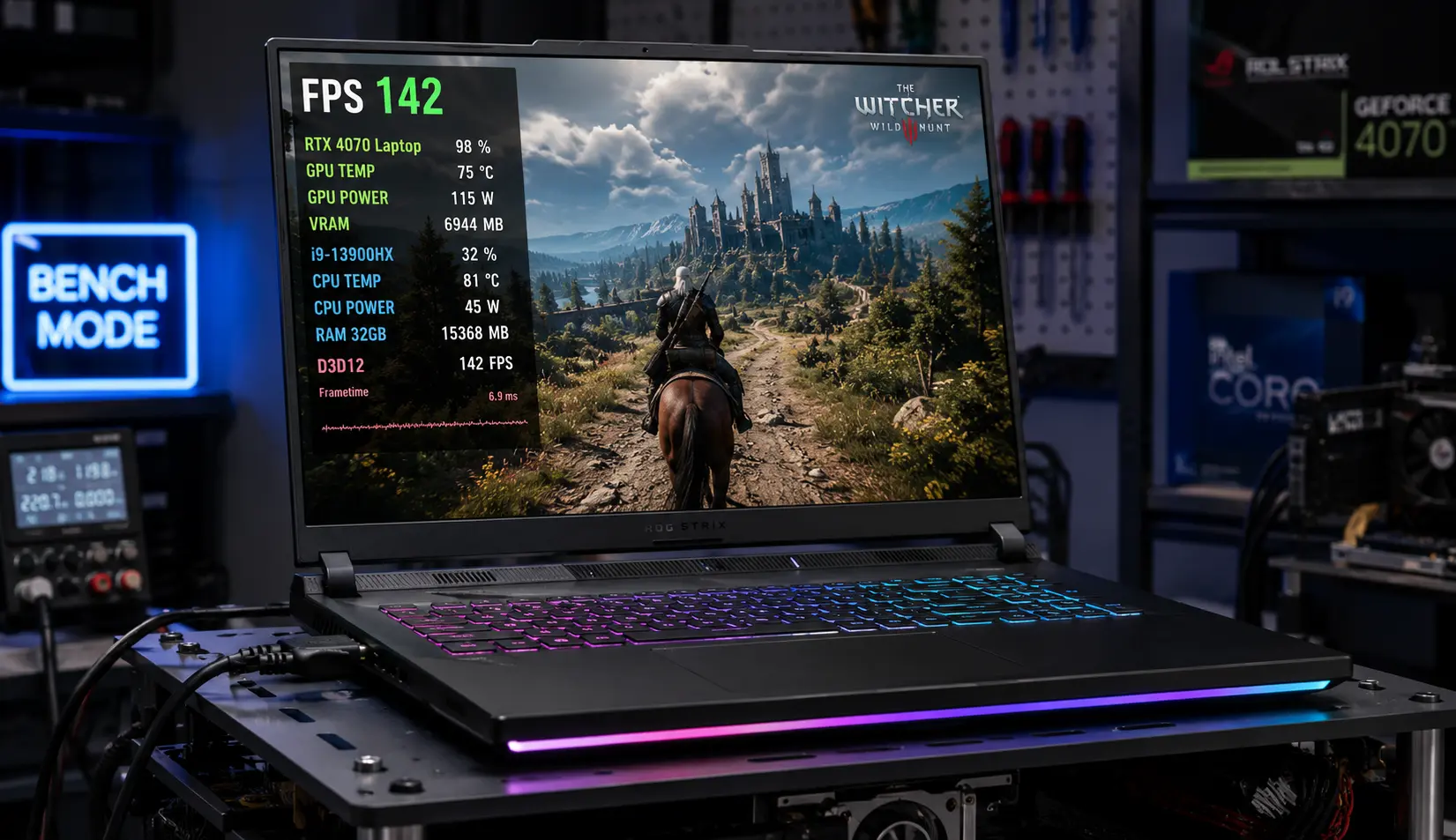
We record average frame rates alongside 1 percent lows, because a high average with frequent dips still feels stuttery. We also note how upscaling technologies like DLSS and FSR change the experience, since these features are now central to real world performance.
How We Test Thermals and Noise?
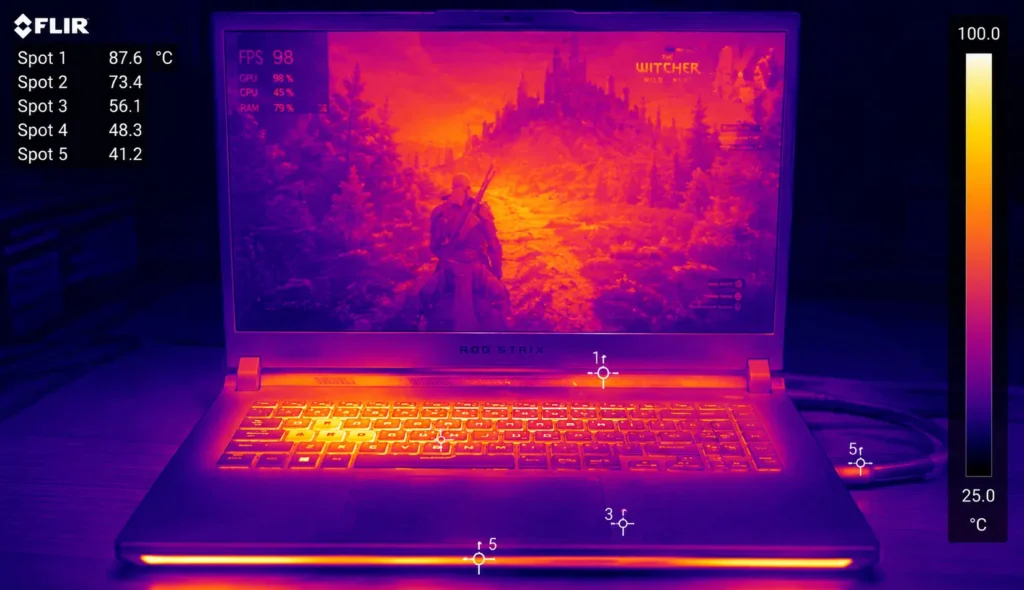
A laptop that runs fast for five minutes and then throttles is not a good gaming laptop. Sustained performance is where many machines fail.
We run extended gaming sessions while monitoring GPU and CPU temperatures, clock speeds, and frame rate stability over time. A well designed cooling system holds clock speeds steady. A weak one drops them, and you feel it as a sudden loss of smoothness.
We also measure fan noise, because thermal performance often comes at the cost of volume. The best machines balance the two. We report whether a laptop stays comfortable to use, since heat that reaches the keyboard or palm rest ruins long sessions.
How We Test Displays?
Display testing carries more weight in 2026 than ever because gaming laptops now offer fast OLED, Mini-LED, and high refresh IPS panels.
We evaluate the panel against the GPU it serves. A 240Hz or 300Hz screen makes sense on an esports focused machine, while a color accurate OLED suits a single player and creative setup. We look at brightness in nits, color coverage, contrast, and HDR behavior on panels that claim to support HDR.
Refresh rate, response time, and the presence of adaptive sync, such as NVIDIA G-Sync, all factor in. A great screen turns raw frames into a genuinely better experience, which is why we never treat the display as an afterthought.
How We Test Battery and Portability?
Gaming drains any battery quickly, so we set realistic expectations and measure two different scenarios.
We run a video playback rundown for a repeatable endurance figure, and we report light productivity battery life at a fixed brightness. We also note weight, thickness, and charger size, since a powerful machine that is heavy and tethered to a large adapter is a different proposition from a slim travel companion.
This separation matters. A desktop replacement with a top tier GPU might last under three hours, while an efficient thin model can stretch everyday use much further. We tell you which kind of machine you are looking at.
How We Score and Rank?
We combine the six pillars into a weighted score, with gaming performance, thermals, and display quality carrying the most weight. Crucially, we compare every laptop against similarly priced machines rather than judging it in isolation. A $900 laptop and a $2,500 laptop play in different leagues, so they are scored against their peers.
Our rankings reflect value at a given price, not just raw power. The fastest laptop is rarely the best buy for most people. The smartest pick is the one that delivers the performance you need without paying for headroom you will never use.
How to Read Any Gaming Laptop Review Like an Expert?
Even outside our own reviews, a few habits will protect you from marketing and mistakes.
- Check the exact configuration tested: Manufacturers sometimes keep the same model name while changing the RAM, storage, or GPU wattage. The unit reviewed may not match the one on sale, so confirm the specs before buying.
- Find the GPU power limit: Total Graphics Power decides real performance. A review that lists it is doing you a favor.
- Look for sustained results, not just peak numbers: Short burst benchmarks hide throttling. Trust reviews that test long sessions.
- Weigh 1 percent lows, not only averages: Smoothness lives in the lows.
- Confirm independence: The most trustworthy reviews use a mix of retail purchases and review units, and clearly state that no manufacturer paid for inclusion.
These same principles guide our work, which brings us to how we keep our reviews honest.
Our Commitment to Independent Reviews
Trust is the whole point of a review. We test using a combination of manufacturer review units and independently purchased retail samples, so we can flag when a shipping product differs from a press unit. No manufacturer pays for inclusion in our rankings, and no brand receives editorial approval over our verdicts.
Our recommendations also draw on long term ownership reports from the GeekZilla community. Issues like coil whine, hinge wear, driver bugs, and battery degradation often appear only after months of use, and that lived experience shapes our final guidance. Specs start the conversation. Real testing and real ownership finish it.
Explore Our Reviews and Guides
Once you understand how we test, the rest of the site falls into place. Our individual reviews go deep on single machines, while our buying guides help you shop by budget and hardware.
- For affordable picks, see our budget gaming laptops guide.
- To understand the GPU at the heart of every review, read our RTX gaming laptops guide.
- For tested value machines, visit our roundup of the best gaming laptops under $1,000.
As our review library grows, this hub links to every full review we publish, organized by brand and price.
Frequently Asked Questions
How are gaming laptops tested and reviewed?
Gaming laptops are tested by running real games and synthetic benchmarks while measuring frame rates, temperatures, throttling, fan noise, display quality, and battery life. Good reviews test both default and maximum performance modes, record 1 percent lows alongside averages, and run sustained sessions to expose throttling. The laptop is then scored against similarly priced machines.
What specs matter most in a gaming laptop review?
The GPU and its Total Graphics Power matter most, followed by sustained thermal performance, display quality, and memory. A spec sheet alone does not tell the full story, because cooling and power limits cause laptops with identical GPUs to perform very differently. Always look for tested frame rates rather than relying on the model name.
What is the difference between average FPS and 1 percent lows?
Average FPS is the mean frame rate across a test, while 1 percent lows show the worst frame times you regularly experience. A high average with poor 1 percent lows still feels stutter. Reviewers report both because smoothness, not just the headline number, determines how good gameplay actually feels.
Why do reviews test laptops in different performance modes?
Laptops ship with multiple power profiles, from quiet default modes to high performance turbo modes. Testing both shows the realistic out of box experience and the maximum the machine can reach. This matters because many buyers never change the default profile, whereas enthusiasts want peak figures.
How can I tell if a gaming laptop review is trustworthy?
Trustworthy reviews disclose the exact configuration tested, list the GPU power limit, report sustained performance rather than only peak numbers, and state whether the unit was purchased or supplied. Independence statements confirming no manufacturer paid for inclusion are a strong sign of honest testing.
Final Word
A gaming laptop review should answer one question: will this machine deliver a great experience for the price? Spec sheets cannot answer that. Only careful testing across performance, thermals, display, battery, build, and value can.
That is the standard behind every GeekZilla review. When you read our verdicts, you are seeing the result of real benchmarks, sustained gameplay, and long term ownership feedback, all weighed against what the competition offers at the same price. Ready to put this into practice? Compare tested machines in our best gaming laptops hub, or narrow your search with our budget gaming laptops and RTX gaming laptops guides.