NVIDIA RTX graphics power the vast majority of gaming laptops sold today. From affordable 1080p machines to 4K desktop replacements, the RTX badge sits at the center of the buying decision. But the lineup has never been more confusing.
Two full generations now share shelf space. The RTX 40 series still offers excellent value, while the RTX 50 series brings a new architecture and second generation frame generation. Add varying VRAM, wildly different power limits, and a memory shortage inflating some prices, and the picture gets murky fast.
This guide clears it up. You will learn what each RTX tier delivers, how the 40 and 50 series compare, why VRAM and Total Graphics Power matter as much as the model name, and how to match a GPU to your resolution and budget. Read it once, and you will never be fooled by a spec sheet again.
For a full view of every machine type, start with our main gaming laptops hub. This guide zooms in on the GPU, the single most important choice you make.
RTX Laptop GPUs at a Glance
The graphics card decides your gaming performance more than any other part. Use this table to anchor every comparison below. It maps each common RTX laptop tier to its memory, ideal resolution, and rough 2026 price band.
| GPU Tier | VRAM | Best Resolution | Typical Laptop Price |
| RTX 4050 | 6GB | 1080p medium to high | $700 to $900 |
| RTX 4060 | 8GB | 1080p high to ultra | $900 to $1,300 |
| RTX 4070 | 8GB | 1440p high | $1,200 to $1,600 |
| RTX 5060 | 8GB | 1080p ultra, light 1440p | $1,100 to $1,400 |
| RTX 5070 | 8GB | 1440p high with upscaling | $1,400 to $1,800 |
| RTX 5070 Ti | 12GB | 1440p high, entry 4K | $1,800 to $2,300 |
| RTX 4080 / 5080 | 12GB to 16GB | High refresh 1440p, 4K | $2,000 to $2,800 |
| RTX 4090 / 5090 | 16GB to 24GB | 4K maximum settings | $2,800 and up |
Prices are wider than usual this year because of a component shortage. Treat these as guidance, not fixed numbers, and always verify current pricing before buying.
Understanding the RTX 40 vs RTX 50 Series
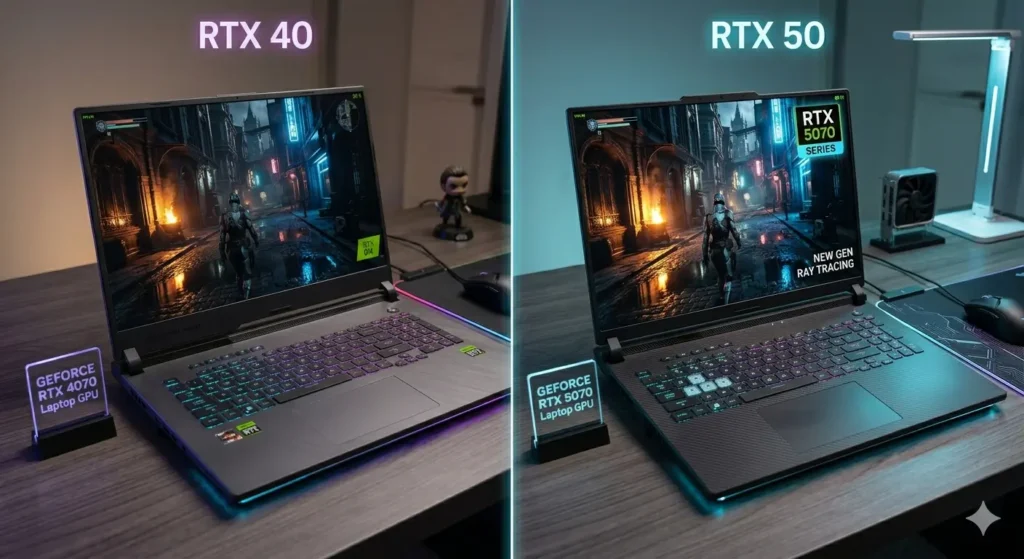
The biggest question in 2026 is whether to buy the older RTX 40 series or the newer RTX 50 series. The honest answer is that both are good buys for different shoppers.
The RTX 40 series, built on the Ada Lovelace architecture, still holds strong value. The RTX 4060 remains a 1080p sweet spot, and the RTX 4070 is a capable 1440p card. When these go on sale, they often beat newer cards in price to performance.
The RTX 50 series, built on the Blackwell architecture, brings major efficiency gains and second generation DLSS 4 with Multi Frame Generation. An RTX 5070 laptop GPU can match or exceed last generation’s RTX 4080 while drawing less power. That is a real leap for thin and well cooled machines.
So which should you pick? A simple rule works well:
- Buy RTX 40 series when you find a strong discount, especially on a full power RTX 4060 or RTX 4070. The value is excellent.
- Buy RTX 50 series when you want the newest efficiency, DLSS 4 frame generation, the longest useful life, and a reasonable price premium.
Do not assume a higher number always means a better buy. A discounted RTX 4070 can outperform a similarly priced early RTX 5060 in raw rasterization. Compare real benchmarks, not model names.
VRAM: The Spec That Decides Longevity
Here is a detail most buyers overlook. Video memory, or VRAM, increasingly determines how long a GPU stays relevant.
Many popular tiers, including the RTX 4060, RTX 4070, RTX 5060, and RTX 5070, ship with 8GB of VRAM. That is enough for 1080p today and most 1440p gaming with upscaling. But modern titles are pushing VRAM usage higher, and 8GB can become a bottleneck in a few demanding games at maximum texture settings.
Stepping up to the RTX 5070 Ti brings 12GB, which is a meaningful buffer for 1440p and entry level 4K. The RTX 5080 and RTX 5090 carry 16GB and 24GB respectively, removing VRAM as a concern entirely.
The practical guidance is this. For 1080p gaming, 8GB is fine for the next few years. For 1440p or if you keep laptops for a long time, prioritize a card with 12GB or more. In fact, the jump from an RTX 5070 to an RTX 5070 Ti can matter more for longevity than the jump from a 5060 to a 5070, precisely because of the VRAM increase.
Total Graphics Power: Why Two Identical GPUs Perform Differently
The same GPU name can hide very different performance. The reason is Total Graphics Power, abbreviated TGP, which is the wattage the laptop allows the GPU to draw.
A thin laptop might limit an RTX 5060 to 75W, while a better cooled model lets it run at the full 115W. The full power version can deliver double digit percentage gains in frame rates from the exact same chip. Manufacturers do not always advertise this clearly.
Before buying any RTX laptop, find its TGP figure. Reviews and detailed spec pages usually list it. A full power GPU in a well cooled chassis beats a starved GPU in a sleek one every time. This single number explains why two laptops with the same GPU can cost the same yet game very differently.
DLSS and Ray Tracing: The RTX Advantage
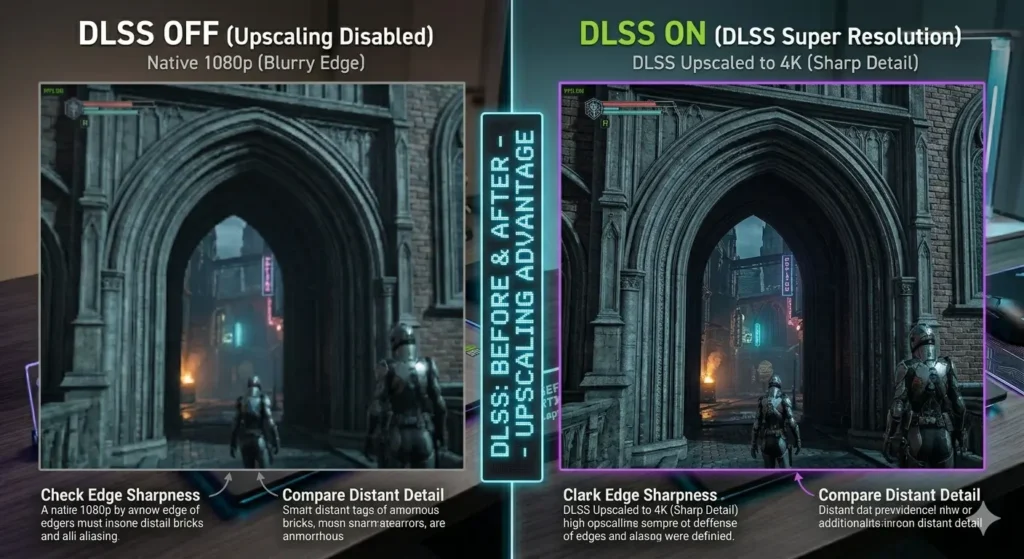
The RT in RTX stands for ray tracing, the lighting technology that brings realistic reflections, shadows, and global illumination to games. But the bigger everyday benefit is DLSS.
DLSS, short for Deep Learning Super Sampling, renders a game at a lower internal resolution and uses AI to reconstruct a sharp, higher resolution image. It boosts frame rates dramatically with minimal visual loss.
- DLSS 3 on RTX 40 series adds Frame Generation, which creates extra frames for higher smoothness.
- DLSS 4 on RTX 50 series adds Multi Frame Generation, multiplying the number of frames to enable very high frame rate gaming.
These features genuinely change what budget and mid range cards can do. An RTX 4060 that struggles to hit 60 FPS natively in a demanding title can comfortably exceed that with DLSS Quality enabled. For ray tracing specifically, upscaling is what makes it playable on anything below the top tier. If heavy ray tracing or path tracing is your priority, aim higher up the stack, ideally an RTX 5070 Ti or above.
Matching an RTX GPU to Your Resolution and Budget
The smartest way to choose is to start from the resolution you want to play at, then pick the GPU that comfortably drives it.
For 1080p Gaming
The RTX 4060 is the value king here, and the RTX 5060 is its modern successor. Both run 1080p at high to ultra settings and pair perfectly with a 144Hz or 165Hz display. This is where most gamers should shop. For tested machines in this range, see our budget gaming laptops guide and our roundup of the best gaming laptops under $1,000.
For 1440p Gaming
Step up to an RTX 4070, RTX 5070, or RTX 5070 Ti. These cards handle the sharper 2560 by 1440 resolution with high settings, and DLSS keeps frame rates high. The RTX 5070 Ti is the standout for longevity thanks to its 12GB of VRAM. This tier hits the sweet spot for gamers who want a noticeable visual upgrade over 1080p.
For 4K and Maximum Settings
Only the RTX 4080, RTX 5080, RTX 4090, and RTX 5090 truly belong here. With 16GB or more of VRAM and DLSS 4 frame generation, the top Blackwell cards can drive 4K at high frame rates in most titles. These are expensive, heavy desktop replacement machines, worthwhile only if 4K or professional creative work is your goal.
What About AMD and Intel Laptop Graphics?
NVIDIA RTX dominates gaming laptops, but it is not the only option. AMD Radeon RX mobile GPUs appear in some models, usually at lower prices, and they rely on FSR rather than DLSS for upscaling. They are competitive on raw performance per dollar but trail NVIDIA in ray tracing and software ecosystem.
For most buyers, an RTX laptop remains the safest choice because of broad game support, mature DLSS, and wide availability. Consider AMD when the price gap is large and you do not prioritize ray tracing. We compare these directly in our dedicated NVIDIA versus AMD breakdown as the cluster expands.
The 2026 Pricing Picture
You cannot discuss RTX laptops in 2026 without mentioning the memory shortage. Demand for AI data center hardware has tightened the supply of standard memory and storage, pushing component costs up across the industry.
This affects RTX laptops in two ways. First, it has kept some RTX 50 series machines priced higher than their performance alone would justify. Second, it makes laptops with upgradeable memory more valuable, since you can start lean and add memory later rather than paying the inflated factory premium.
The takeaway for GPU shoppers is to be patient and opportunistic. A well cooled RTX 5070 laptop with a good 1440p screen at a fair price is an excellent multiyear buy. A discounted full power RTX 4060 or RTX 4070 is the smart value play. Watch sales events closely, because timing matters more than usual this year.
How We Evaluate RTX Gaming Laptops?
Our GPU recommendations come from benchmark analysis, hands on testing, and long term community reports. We look beyond the model name to the metrics that decide real performance: sustained frame rates, Total Graphics Power, thermal behavior under load, and VRAM headroom in demanding titles.
We also track how each GPU tier ages. A card that benchmarks well on day one but runs short on VRAM in two years is not a great recommendation. That long view, informed by the experiences of the GeekZilla community, shapes every pick we make.
Frequently Asked Questions
Is the RTX 5060 worth it over the RTX 4060 in 2026?
It depends on the price. The RTX 5060 brings the newer Blackwell architecture and DLSS 4 Multi Frame Generation, which improves efficiency and frame generation. But a discounted full power RTX 4060 often delivers similar real world 1080p performance for less money. If the price gap is small, choose the RTX 5060 for longevity. If the RTX 4060 is heavily discounted, it remains a smart buy.
How much VRAM do I need in an RTX gaming laptop?
For 1080p gaming, 8GB of VRAM is sufficient for the next few years. For 1440p gaming or if you plan to keep the laptop for a long time, aim for 12GB or more, such as an RTX 5070 Ti or higher. VRAM increasingly determines how long a GPU stays capable as games grow more demanding.
What is the difference between DLSS 3 and DLSS 4?
DLSS 3, found on RTX 40 series laptops, adds Frame Generation that creates extra frames for smoother gameplay. DLSS 4 on RTX 50 series laptops adds Multi Frame Generation, which further multiplies the number of frames for very high frame rate gaming. Both boost performance using AI upscaling, but DLSS 4 generates more frames per rendered frame.
Why do two laptops with the same RTX GPU perform differently?
The difference is usually Total Graphics Power, or TGP. A thin laptop may run a GPU at a lower wattage to manage heat, while a better cooled model runs the same chip at full power. The full power version can deliver double digit percentage higher frame rates from an identical GPU, so always check the TGP figure before buying.
Which RTX GPU is best for 1440p gaming?
For 1440p gaming in 2026, the RTX 5070 Ti is the standout choice thanks to strong performance and 12GB of VRAM. The RTX 4070 and RTX 5070 are also capable at 1440p with upscaling enabled. Higher tiers like the RTX 5080 add headroom for maximum settings and entry level 4K.
Are RTX 40 series laptops still worth buying in 2026?
Yes. The RTX 40 series still offers excellent value, especially on sale. A full power RTX 4060 is a great 1080p machine, and the RTX 4070 handles 1440p well. When discounted, these cards frequently beat newer models on price to performance, making them a smart choice for value focused buyers.
Final Word
The RTX badge covers an enormous range, from affordable 1080p machines to 4K powerhouses. The key to a smart purchase is to look past the model name. Match the GPU tier to your target resolution, confirm the VRAM suits how long you plan to keep the laptop, and always check the Total Graphics Power.
Get those three right and you will buy the performance you actually need, not the marketing on the box. The RTX 40 series remains a value champion on sale, while the RTX 50 series rewards buyers who want the newest efficiency and frame generation.
When you are ready to compare real machines, dive into our budget gaming laptops guide for affordable RTX picks, or return to the complete best gaming laptops hub to see every option side by side.