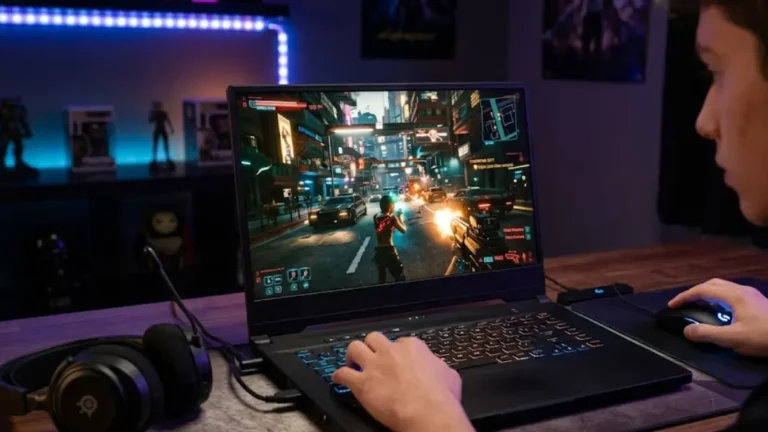

Gaming laptops have never been better. In 2026, you get near-desktop performance in a chassis thin enough for a backpack. Whether you’re chasing 144 FPS in competitive shooters or pushing ray tracing in open-world RPGs, the options are more capable and more affordable than ever.
The shift from RTX 40-series to RTX 50-series is happening right now. That means aggressive discounts on proven hardware. RTX 4060, 4070, 4080, and 4090 laptops are sitting at historic low prices while the 50-series ramps up.
I’ve analyzed benchmarks, thermal data, and real-world performance across dozens of 2026 models to build this guide. Whether you have $800 or $3,000 to spend, there’s a laptop here for you.
This guide covers the best overall pick, best options under $1,000 and $1,500, best RTX 4060 laptop, best premium machine, and the most portable option. Plus a full buying guide, benchmarks breakdown, and FAQ.
Quick Comparison: Best Gaming Laptops at a Glance
Use this table to quickly identify the right laptop for your needs before diving into detailed reviews below.
| Laptop Name | GPU | CPU | RAM | Best For | Price Range |
| ASUS ROG Strix G16 (2026) | RTX 5080 | Intel Core Ultra 9 285HX | 32GB | Overall Best | $2,499 to $2,799 |
| Acer Nitro V 16 (2026) | RTX 4060 | AMD Ryzen 7 8745H | 16GB | Under $1,000 | $849 to $999 |
| Lenovo Legion 5i Pro | RTX 4070 | Intel Core i7 14700HX | 16GB | Under $1,500 | $1,299 to $1,499 |
| MSI Katana 15 B13V | RTX 4060 | Intel Core i7 13620H | 16GB | RTX 4060 Value | $999 to $1,199 |
| Razer Blade 16 (2026) | RTX 5090 | Intel Core Ultra 9 285HX | 32GB | Premium Pick | $3,999 to $4,499 |
See also: Budget Gaming Laptop Buying Guide
Best Gaming Laptops: Our Top Picks
1. Best Gaming Laptop Overall: ASUS ROG Strix G16 (2026)
The ASUS ROG Strix G16 is the most well-rounded gaming laptop available right now. It blends top-tier GPU power, excellent thermal design, a stunning 240Hz QHD display, and a build quality that rivals machines costing significantly more. If you want one laptop that handles everything from competitive esports to fully ray-traced open worlds, this is it.
| GPU | NVIDIA GeForce RTX 5080 (16GB GDDR7) |
| CPU | Intel Core Ultra 9 285HX |
| RAM | 32GB DDR5 5600 |
| Storage | 1TB PCIe 5.0 NVMe SSD |
| Display | 16 inch QHD Plus 240Hz, 3ms, 100% DCI-P3 |
| Battery | 90Wh |
| Weight | 2.3kg (5.07 lbs) |
| Price | $2,499 to $2,799 |
Performance-wise, the RTX 5080 delivers extraordinary results. In Cyberpunk 2077 at 1440p with Ultra settings and DLSS 4 enabled, it sustains around 140 FPS. In Fortnite at 1080p, it pushes well past 300 FPS. That is ideal for competitive players who need every frame. Ray tracing performance is a generation ahead of the RTX 4080. Reflections, global illumination, and ambient occlusion all run smoothly without DLSS doing heavy lifting.
Thermal performance is where the ROG Strix G16 really earns its reputation. ASUS uses a triple-fan vapor chamber system with liquid metal thermal interface material on the CPU. Under full gaming load, the CPU stabilizes around 85 degrees Celsius and the GPU around 78 degrees. Both sit comfortably within safe limits. Fan noise is audible at full speed, but the machine never throttles.
The 240Hz QHD Plus display is one of the best panels on any gaming laptop. Response time is 3ms with excellent color accuracy. The 100% DCI-P3 coverage makes this machine genuinely useful for content creators alongside gamers. Battery life runs about 4.5 hours on light tasks, which is typical for a high-performance gaming laptop.
Pros
- Yes: RTX 5080 delivers top 1% gaming benchmark performance
- Yes: Vapor chamber plus liquid metal cooling with no throttling under load
- Yes: 240Hz QHD Plus display with 100% DCI-P3 coverage, excellent for creators too
- Yes: PCIe 5.0 SSD with significantly faster load times versus Gen 4
- Yes: Solid magnesium aluminum alloy chassis with premium build quality
Cons
- No: Premium price that is overkill for casual gamers
- No: Heavy at 2.3kg and not ideal for daily commuting
- No: Battery life is modest at 4 to 5 hours unplugged
Who It Is For
Serious PC gamers who want the best all-around performer. Also ideal for professionals who need color-accurate displays and fast rendering alongside gaming.
See Also: RTX gaming laptops
2. Best Gaming Laptop Under $1,000: Acer Nitro V 16 (2026)
The Acer Nitro V 16 proves you do not need to spend $2,000 or more to play modern games well. At under $1,000, it delivers genuine 1080p gaming performance with the RTX 4060, a 144Hz IPS display, and a surprisingly effective dual-fan cooling system. For budget-conscious gamers, this is the strongest option available in 2026.
| GPU | NVIDIA GeForce RTX 4060 (8GB GDDR6) |
| CPU | AMD Ryzen 7 8745H |
| RAM | 16GB DDR5 4800 (upgradeable) |
| Storage | 512GB PCIe 4.0 NVMe SSD |
| Display | 16 inch FHD 144Hz IPS, 3ms |
| Battery | 76Wh |
| Weight | 2.4kg (5.3 lbs) |
| Price | $849 to $999 |
The RTX 4060 is one of the best value GPUs in any laptop. It handles 1080p at high or ultra settings in nearly every modern title. Baldur’s Gate 3 at high settings runs around 85 to 95 FPS. Elden Ring sits at a locked 60 FPS on ultra with headroom to spare. Competitive titles like Valorant and CS2 easily exceed 144 FPS, which matches the display’s refresh rate perfectly.
DLSS 3 support adds significant performance boosts in supported titles. In Cyberpunk 2077 with DLSS Quality mode at 1080p, you gain 40 to 60% more FPS with minimal visual quality loss. This is what makes the RTX 4060 so effective at this price. Software-driven performance improvements are real and meaningful.
The Ryzen 7 8745H is an excellent CPU pairing. It is efficient enough to keep thermals manageable and powerful enough to avoid CPU bottlenecks in demanding open-world titles. Acer’s dual-fan cooling system runs hot under sustained load with the CPU hitting 88 to 92 degrees Celsius, but it does not throttle in normal gaming sessions. Expect fan noise to be noticeable at this price point.
RAM is upgradeable via dual SO-DIMM slots and the storage bay accepts a second NVMe drive. Both are excellent features for long-term ownership. The 144Hz display shows slight backlight bleed at the edges, which is acceptable for the price but worth noting if display quality is a priority.
Pros
- Yes: RTX 4060 performance at a price that is genuinely accessible
- Yes: Upgradeable RAM and storage for future-proofing
- Yes: 144Hz display matches GPU output in most competitive titles
- Yes: Ryzen 7 8745H is efficient and well paired
- Yes: Best value per dollar gaming laptop available
Cons
- No: Runs hot under sustained load
- No: 16GB RAM is tight for modern AAA multitasking
- No: Display has minor backlight bleed
- No: Build quality feels plasticky compared to premium picks
Who It Is For
First-time gaming laptop buyers, students, and anyone who wants solid 1080p performance without spending more than $1,000.
See also: Best Gaming Laptop Under $1,000
3. Best Gaming Laptop Under $1,500: Lenovo Legion 5i Pro (2026)
The Lenovo Legion 5i Pro sits in the sweet spot between budget and premium. At $1,299 to $1,499, it offers RTX 4070 performance, a 2560×1600 IPS display at 165Hz, and Lenovo’s proven Legion Coldfront 5.0 thermal system. This is the laptop we would recommend to the majority of serious gamers.
| GPU | NVIDIA GeForce RTX 4070 (8GB GDDR6) |
| CPU | Intel Core i7 14700HX |
| RAM | 16GB DDR5 5200 (2x8GB, upgradeable to 64GB) |
| Storage | 1TB PCIe 4.0 NVMe SSD |
| Display | 16 inch 2560×1600 IPS 165Hz, G-Sync Compatible |
| Battery | 80Wh |
| Weight | 2.5kg (5.5 lbs) |
| Price | $1,299 to $1,499 |
The RTX 4070 is a meaningful upgrade over the 4060. It handles 1440p gaming comfortably, opens up higher settings in demanding titles, and handles ray tracing with DLSS without major frame rate penalties. In benchmarks, the 4070 scores roughly 25 to 30% higher than the 4060 in rasterization workloads. In The Witcher 4 at 1440p with ultra settings and DLSS Balanced, expect 75 to 90 FPS.
The 2560×1600 display is genuinely excellent at this price. It is sharper than 1080p without demanding the rendering overhead of 4K. The 165Hz refresh rate combined with G-Sync Compatible variable refresh rate makes games feel exceptionally smooth. Pixel response time is good and ghosting is minimal in fast-paced titles.
Lenovo’s Coldfront 5.0 cooling uses quad heat pipes and dual fans. Under full load, the CPU sits around 82 to 86 degrees Celsius and the GPU around 74 degrees. These are healthy temperatures. The fans spin up loud at maximum performance mode, but Lenovo’s balance mode keeps them quieter while maintaining 90% or more of full performance output.
Build quality is one of the Legion 5i Pro’s strongest selling points. The chassis uses aluminum for the lid and keyboard deck. The keyboard has 4-zone RGB and excellent key travel. USB-C charging support means you are not always dependent on the 230W power brick.
Pros
- Yes: RTX 4070 opens 1440p ultra settings in most titles
- Yes: 2560×1600 165Hz IPS display with G-Sync, exceptional at this price
- Yes: Coldfront 5.0 keeps temperatures healthy under load
- Yes: Premium aluminum chassis with solid build quality
- Yes: Excellent keyboard with proper key travel
Cons
- No: Only 16GB RAM in base config, upgrade recommended
- No: Somewhat thick and heavy at 2.5kg
- No: Battery life around 4 hours gaming and 6 hours light use
Who It Is For
Gamers who want 1440p performance, excellent build quality, and a dependable thermal system without stepping into $2,000 or above territory.
4. Best RTX 4060 Gaming Laptop: MSI Katana 15 (2026 Refresh)
See also: RTX 4060 Gaming Laptops
The MSI Katana 15 is the most capable RTX 4060 laptop in its price range. At just under $1,100, it delivers consistent 1080p gaming performance, a 144Hz IPS display, and MSI’s Cooler Boost 5 thermal system. It is a step up from the Acer Nitro V in build and cooling while staying accessible.
| GPU | NVIDIA GeForce RTX 4060 (8GB GDDR6) |
| CPU | Intel Core i7 13620H |
| RAM | 16GB DDR5 (upgradeable) |
| Storage | 512GB NVMe SSD plus a free M.2 slot |
| Display | 15.6 inch FHD 144Hz IPS |
| Battery | 52.4Wh |
| Weight | 2.25kg (4.96 lbs) |
| Price | $999 to $1,199 |
The RTX 4060 in the Katana 15 runs at its full 115W TGP. MSI does not nerf the GPU to cut costs, which is a common issue in budget RTX 4060 laptops. This matters a lot. A capped RTX 4060 at 80W performs significantly worse than the same GPU at 115W. In gaming benchmarks, the Katana 15’s 4060 scores about 12% higher than competitors using the same chip at lower power budgets.
In practice, you get 90 to 110 FPS in demanding AAA titles at 1080p ultra settings and 120 to 144 FPS in optimized titles. Competitive games like Apex Legends, Overwatch 2, and Fortnite run at 200 or more FPS at medium settings. DLSS 3 gives a notable performance boost in supported titles, effectively making the RTX 4060 punch above its weight.
The Core i7-13620H provides solid CPU performance. Six performance cores handle game physics and AI without bottlenecking the GPU. Cooler Boost 5 uses two fans and six heat pipes. Temperatures stay around 85 to 88 degrees on the CPU and 76 degrees on the GPU under sustained gaming. The 15.6 inch form factor makes it more portable than 16 inch alternatives, which is a meaningful advantage if you commute.
Pros
- Yes: Full 115W RTX 4060 TGP with no power limit compromise
- Yes: Portable at 2.25kg and the lightest RTX 4060 option reviewed
- Yes: Free M.2 slot for easy storage upgrade
- Yes: Competitively priced for the performance delivered
Cons
- No: 52Wh battery is small, expect 2 to 3 hours gaming and 5 hours light use
- No: Display quality is average at 45% NTSC color gamut
- No: Chassis flexes slightly under pressure
Who It Is For
Gamers who want maximum RTX 4060 performance without paying for an RTX 4070, and who value portability over screen size.
5. Best Premium Gaming Laptop: Razer Blade 16 (2026)
The Razer Blade 16 is the most refined premium gaming laptop on the market. It pairs the RTX 5090 with Razer’s ultra-thin chassis, a stunning Mini LED display, and vapor chamber cooling. All of this comes in a package that looks equally at home in a boardroom and a gaming setup. This is for buyers who want the absolute best with no compromises.
| GPU | NVIDIA GeForce RTX 5090 (24GB GDDR7) |
| CPU | Intel Core Ultra 9 285HX |
| RAM | 32GB DDR5 5600 (upgradeable to 64GB) |
| Storage | 2TB PCIe 5.0 NVMe SSD |
| Display | 16 inch QHD Plus Mini LED 240Hz, 100% DCI-P3, 1000 nits |
| Battery | 95.2Wh |
| Weight | 2.1kg (4.63 lbs) |
| Price | $3,999 to $4,499 |
The RTX 5090 is in a class of its own. At 4K Ultra settings in Cyberpunk 2077 with full ray tracing and DLSS 4 Performance mode, it sustains 90 to 110 FPS. No other gaming laptop can match that. At 1440p, virtually every current game runs at or above 144 FPS on maximum settings. This machine will stay relevant for at least four to five years of demanding titles.
The Mini LED display delivers true HDR with 2048 local dimming zones. Contrast ratios are exceptional. Brightness reaches 1000 nits in HDR mode and the 240Hz refresh rate ensures buttery smooth motion in fast games. It is one of the best laptop displays produced to date and is genuinely comparable to high-end standalone monitors.
Build quality is where Razer earns its premium. The CNC-milled aluminum unibody chassis has no flex, no creaking, and no plasticky panels. At 2.1kg, the Blade 16 is also the lightest RTX 5090 laptop available. Competitors in the same GPU tier often weigh 2.4 to 2.6kg. The vapor chamber cooling system keeps the RTX 5090 at a controlled 80 to 82 degrees Celsius under full gaming load.
The one legitimate trade-off is price. At $4,000 or more, the Blade 16 is a significant investment. You are paying for industrial design, display quality, portability, and build precision. In raw GPU-per-dollar terms, other laptops offer better value. But for buyers who want the best without compromise, nothing else comes close.
Pros
- Yes: RTX 5090 is the fastest GPU available in any laptop
- Yes: Mini LED 240Hz display is one of the best laptop panels ever made
- Yes: Lightest RTX 5090 laptop at 2.1kg
- Yes: Premium CNC aluminum chassis with exceptional build quality
- Yes: Vapor chamber cooling handles the RTX 5090 heat output well
Cons
- No: Expensive with premium pricing across the board
- No: Battery life drops to 3 to 4 hours under gaming load
- No: Limited ports require a USB-C hub for a full desk setup
Who It Is For
Professionals, content creators, and gamers who demand the absolute best and want a laptop that lasts five or more years without feeling outdated.
Gaming Laptop Buying Guide: How to Choose
See also: Gaming Laptop Buying Guide
Specifications on a product page can be misleading. Here is what actually matters when choosing a gaming laptop in 2026.
GPU: The Most Important Component
The GPU determines your gaming performance more than anything else. In 2026, NVIDIA’s RTX 40 series remains widely available and offers excellent value. The RTX 50 series delivers a significant generational leap but commands a price premium.
- RTX 4060: Best for 1080p gaming on a budget. Handles all modern titles at high settings. DLSS 3 support gives meaningful FPS boosts.
- RTX 4070 and 4070 Ti: Sweet spot for 1440p gaming. Handles ray tracing with DLSS without major FPS loss.
- RTX 4080 and RTX 5080: Excellent for 4K or high refresh 1440p. Future-proof for several years.
- RTX 5090: Top-tier performance. Worth the premium only if budget is no concern.
Always check the TGP (Total Graphics Power). Two laptops with the same GPU can perform very differently if one runs at 80W and another at 150W. Look for laptops that run the GPU at full or close-to-full TGP.
CPU: Avoid Bottlenecks
Most modern gaming laptops use Intel Core i7 or i9 HX series or AMD Ryzen 7 or 9 HX chips. For gaming, a Core i7 or Ryzen 7 is more than enough. The Core i9 or Ryzen 9 matters more for streaming, video editing, or 3D rendering alongside gaming.
Avoid H-series chips with fewer than 6 performance cores in 2026. They bottleneck modern open-world games with complex AI and physics simulations.
RAM: 16GB Minimum, 32GB Preferred
16GB DDR5 handles most games in 2026. 32GB is recommended for those who multitask, stream, or use creative applications alongside gaming. Always check if RAM is upgradeable. Soldered RAM is a significant limitation.
Storage: NVMe SSD Only
Do not buy a gaming laptop with an HDD in 2026 for primary storage. PCIe 4.0 NVMe SSDs offer load times that are 3 to 5 times faster than older SATA SSDs. PCIe 5.0 is available in premium laptops and offers another 2x improvement. A second M.2 slot for expansion is a strong bonus.
Cooling System: Often Overlooked, Always Critical
Cooling determines sustained performance. A laptop that runs at 4.5 GHz for 30 seconds and then drops to 3.1 GHz for the rest of a gaming session is not a great gaming laptop. Look for the following:
- Vapor chamber cooling, which is better than heat pipes for consistent thermals
- Liquid metal thermal interface material on the CPU, used by Razer and ASUS ROG
- Dual or triple fan configurations
- Good exhaust vents, where side or rear venting beats bottom-only designs
Display: Refresh Rate and Panel Quality
In 2026, 144Hz is the minimum acceptable refresh rate. For competitive games, 240Hz makes a real difference in perceived smoothness. Here is a quick breakdown:
- 144Hz 1080p: Budget gaming, acceptable for most titles
- 165Hz 1440p: Mid-range sweet spot that is sharp and smooth
- 240Hz 1440p: Best for competitive gamers who want both sharpness and speed
- 240Hz 4K Mini LED: Premium option with exceptional HDR and clarity
Panel type matters too. IPS panels offer better color accuracy and viewing angles than TN. Mini LED adds local dimming for true HDR performance.
Battery Life: Realistic Expectations
Gaming laptops are not designed for all-day battery life. Expect 2 to 4 hours under gaming load and 5 to 8 hours on light tasks like web browsing or document work. A larger battery (80Wh or above) and an efficient CPU help. USB-C charging compatibility is increasingly standard and useful for lighter workloads away from the wall.
Minimum Recommended Specs for 2026 Gaming
Use this table as a baseline when evaluating any gaming laptop. Anything below these specs will struggle with modern AAA titles at acceptable settings.
| Component | Minimum (2026) | Recommended (2026) |
| GPU | RTX 4060 or RX 7600M | RTX 4070 Ti or RX 7900M |
| CPU | Intel Core i5 13500H or Ryzen 5 7600H | Intel Core i7 14700HX or Ryzen 9 7945HX |
| RAM | 16GB DDR5 | 32GB DDR5 |
| Storage | 512GB NVMe SSD | 1TB NVMe SSD (PCIe 4.0) |
| Display | 1080p at 144Hz | 1440p or 4K at 165Hz or above |
| Battery | 72Wh | 90Wh or above |
| Cooling | Dual fan with vapor chamber | Triple fan with liquid metal TIM |
Gaming Laptop vs Gaming Desktop: Which Should You Choose?
This is one of the most common questions in PC gaming. The honest answer depends entirely on your lifestyle and priorities.
Choose a Gaming Laptop If:
- You travel frequently or commute to work or school
- You game in multiple locations such as home, office, or a dorm room
- Desk space is limited and you want an all-in-one solution
- You need a machine that handles both gaming and productivity
- Portability is more important than raw price per performance
Choose a Gaming Desktop If:
- You game exclusively at a fixed location
- Maximum performance per dollar is the priority
- You want to upgrade components individually over time
- Thermals and noise levels are a concern since desktops run cooler and quieter
- You want a larger display or a multi-monitor setup
A desktop with an RTX 4070 Ti Super and Ryzen 9 7900X at $1,400 will significantly outperform a $1,400 gaming laptop. The performance gap is real. Laptops charge a premium for the engineering required to fit high-performance components into a thin, portable chassis.
However, for the flexibility of gaming anywhere, a laptop delivers something a desktop simply cannot. The 2026 generation of gaming laptops has closed the performance gap meaningfully. The best laptops now achieve 80 to 90% of desktop performance at equivalent GPU tiers.
Frequently Asked Questions
Are gaming laptops worth it in 2026?
Yes, especially for users who need portability alongside gaming performance. The 2026 generation of chips and GPUs has closed the performance gap with desktops significantly. If you game in one location exclusively, a desktop still offers better value. But for flexibility, gaming laptops have never been better.
How long does a gaming laptop last?
A well-maintained gaming laptop with mid to high-end specs (RTX 4070 or above) should remain capable for 4 to 6 years. Thermal paste replacement every 2 to 3 years helps maintain peak performance as it degrades over time. Clean the vents regularly, as dust accumulation is the number one cause of throttling and early performance degradation.
Is an RTX 4060 enough for modern games in 2026?
Yes, for 1080p gaming. The RTX 4060 handles all current titles at high or ultra settings at 1080p with good frame rates. With DLSS 3 enabled in supported games, it even manages 1440p at medium to high settings reasonably well. If 4K gaming is a goal, step up to at least an RTX 4070.
Do gaming laptops overheat?
Budget gaming laptops can run hot, especially under sustained load in poor ventilation conditions. Premium machines with vapor chamber cooling and liquid metal TIM manage thermals well. Always game on a hard, flat surface and keep vents unobstructed. A laptop cooling pad can reduce temperatures by 5 to 10 degrees Celsius.
Can gaming laptops be upgraded?
RAM and storage can usually be upgraded in most gaming laptops. Check for accessible SO-DIMM slots and M.2 bays before buying. The GPU and CPU are soldered to the motherboard in virtually all laptops and cannot be upgraded. This means the GPU you buy today is the GPU you will have for the laptop’s lifespan. Choose it carefully.
What does DLSS do and does it matter?
DLSS (Deep Learning Super Sampling) is NVIDIA’s AI-based upscaling technology. It renders a game at a lower internal resolution and uses a trained neural network to reconstruct a higher-resolution image. DLSS 3 and DLSS 4 add Frame Generation, which creates synthetic frames to boost FPS. In supported titles, DLSS can increase frame rates by 40 to 80% with minimal visible quality loss. It matters a great deal, especially for RTX 4060 and 4070 laptops pushing higher resolutions.
What refresh rate do I actually need?
For casual and story-driven gaming, 144Hz is entirely sufficient. For competitive titles where reaction time and visual clarity matter such as CS2, Valorant, and Apex Legends, 240Hz provides a noticeable advantage. Beyond 240Hz, the human perception benefit is marginal. Focus your refresh rate budget on competitive games. For cinematic single-player titles, 144Hz feels great.
Final Verdict
Gaming laptops in 2026 cover an impressive range of performance and price. There is no single right answer. The best laptop depends entirely on your gaming style, budget, and portability needs.
Buy the machine that fits your budget and gaming resolution. Spending more than necessary on GPU power for 1080p gaming is wasteful. But underspending means settling for throttled performance or a machine that feels outdated in 18 months.
The Lenovo Legion 5i Pro is our recommendation for most buyers. It hits the performance, build quality, and display sweet spot without requiring premium pricing. If budget is tight, the Acer Nitro V 16 is exceptional at its price point. If budget is no concern and you want the absolute best, the Razer Blade 16 has no real competition.
Game well. Choose wisely.